BoxKu App Icon

BoxKu Virtual

Android Virtual Sandbox & App Cloner

v1.0.1 13.7 MB Android 7.0+ βœ“ Virus-Free
Download
βœ“ 0/72 Clean • High-Speed CDN • Safe to install
πŸ“‹ Release Notes & Changelog β–Ό
- Official Release v1.0.1 - System isolation engine & performance stability improvements - Full support for Android 7.0 - 14+ (arm64-v8a & armeabi-v7a)
πŸ“– How to Use BoxKu β–Ό
πŸ’‘ Zero Root Needed • Run apps in an isolated sandbox with custom fake GPS location.
Step 1
πŸ” Tap to expand
STEP 1 OF 5

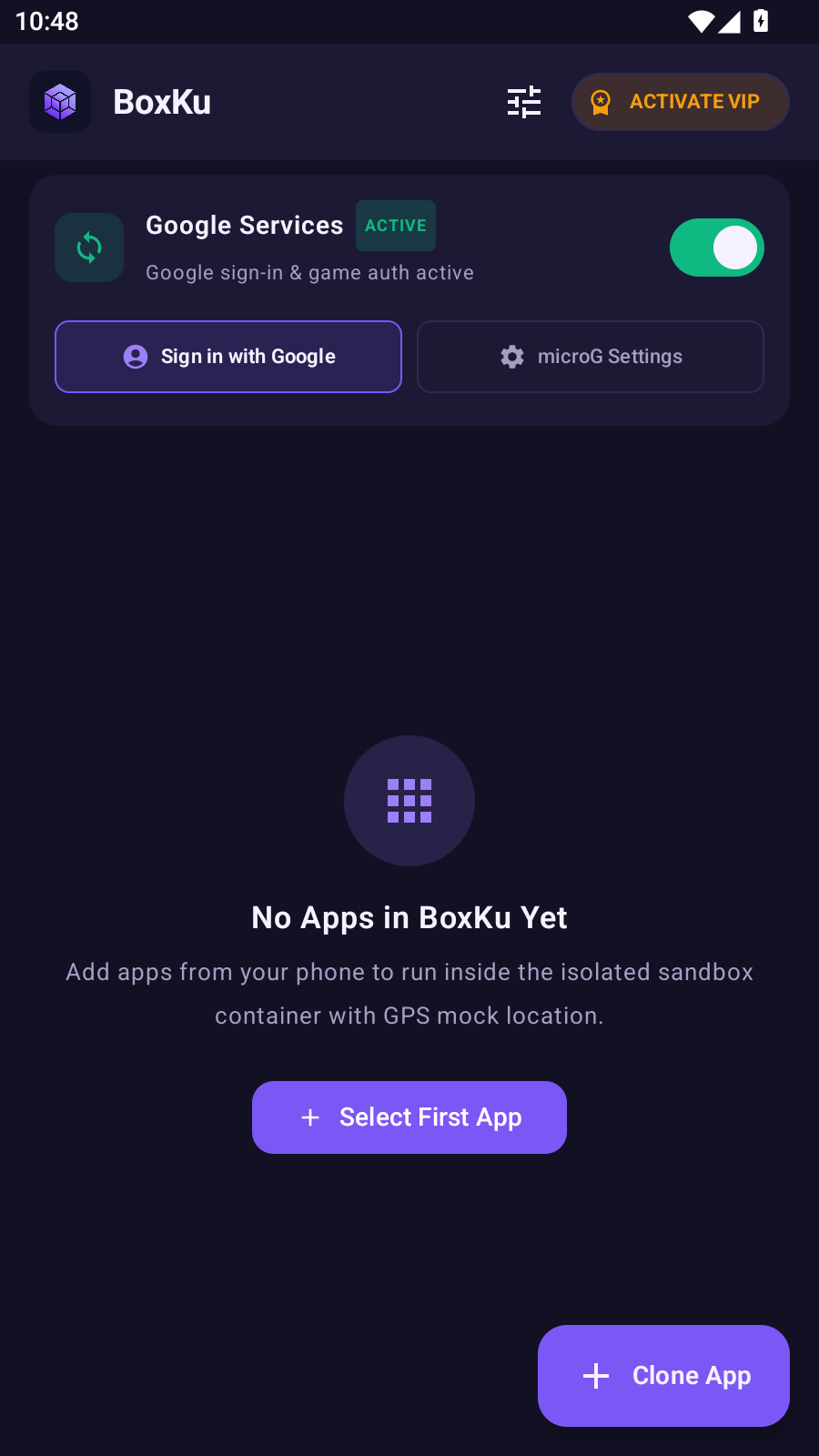
Open & Tap + Clone App

Launch BoxKu and tap + Select First App or the floating purple + Clone App button on the home screen.

Step 2
πŸ” Tap to expand
STEP 2 OF 5

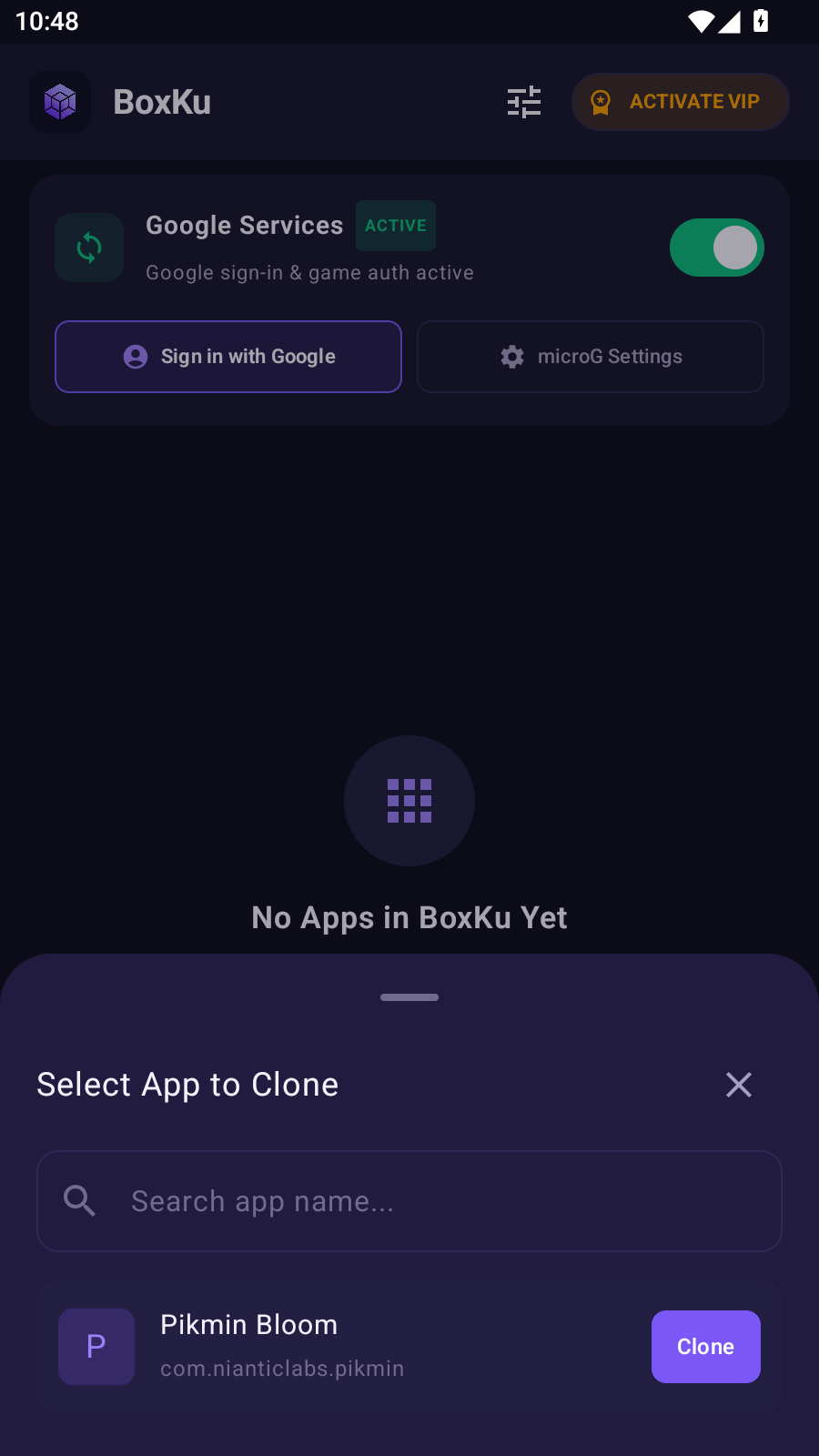
Choose Target App

Select any installed game or app from your phone such as Pikmin Bloom and tap the Clone button.

Step 3
πŸ” Tap to expand
STEP 3 OF 5

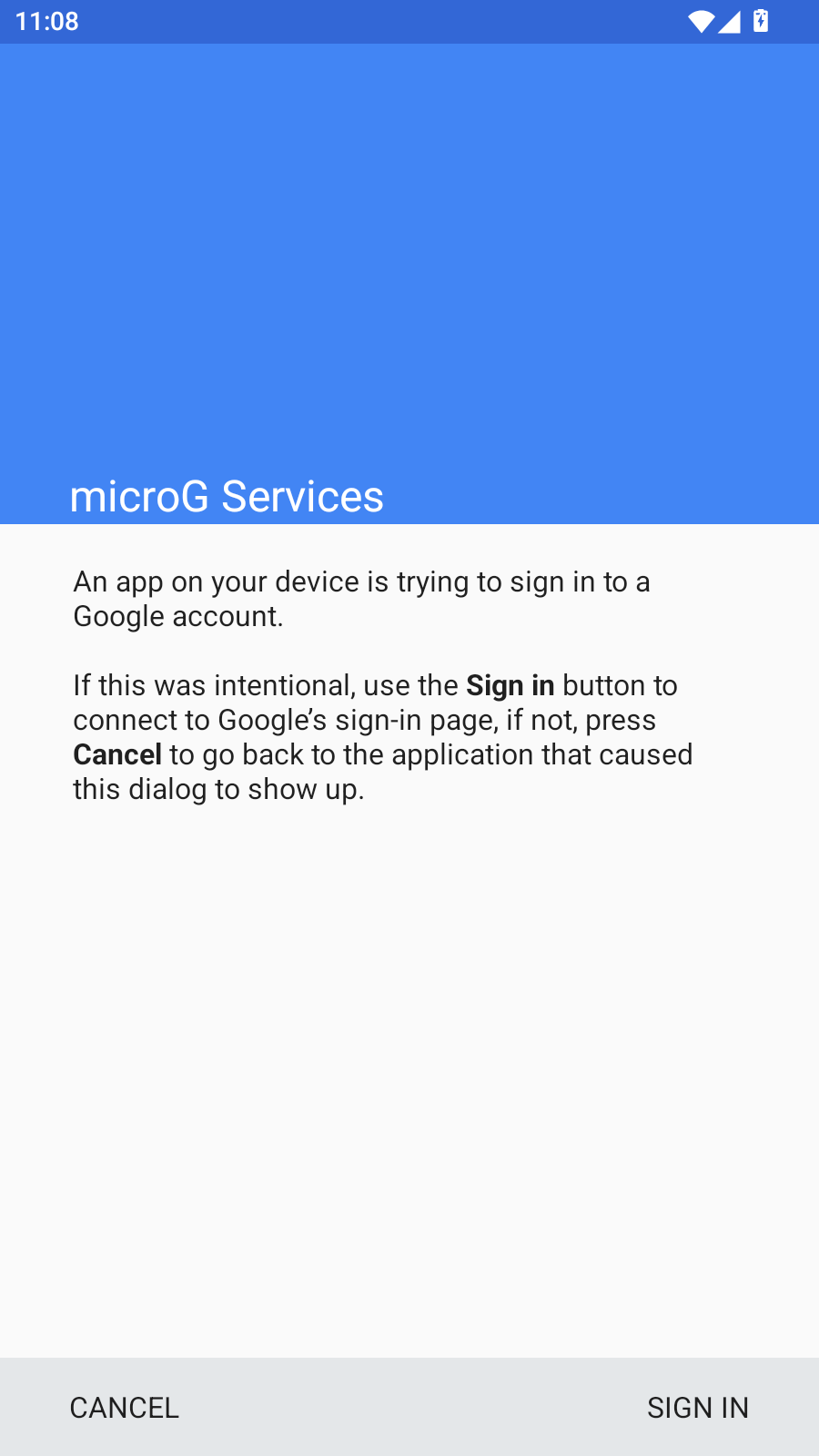
Add Google Account in microG

Some games require a Google account to login. Tap Sign in with Google in the top banner to link your account safely inside the sandbox.

Step 4
πŸ” Tap to expand
STEP 4 OF 5

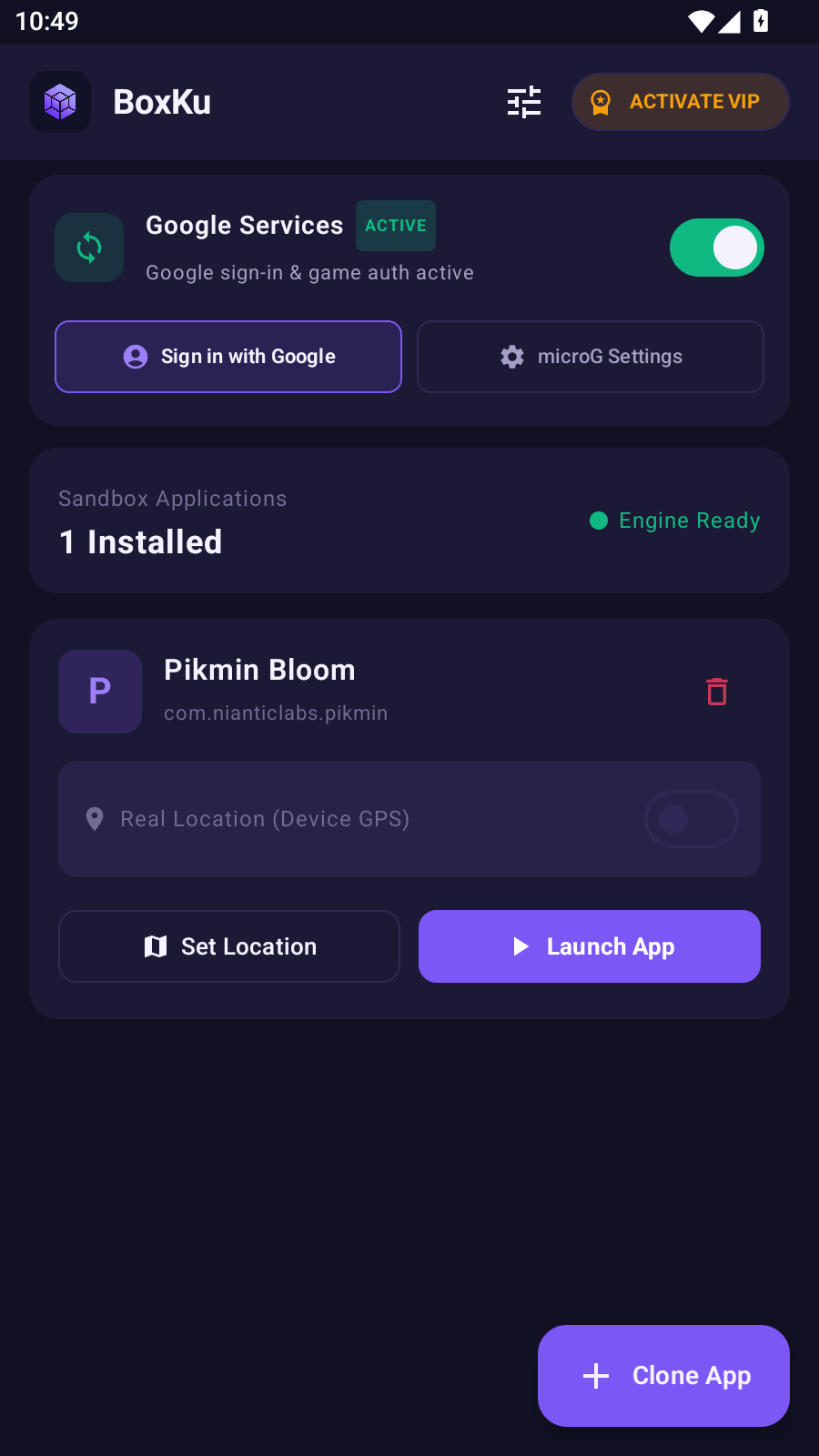
Set Location or Launch

Tap πŸ—ΊοΈ Set Location to choose your virtual GPS, or tap ▢️ Launch App to start immediately.

Step 5
πŸ” Tap to expand
STEP 5 OF 5

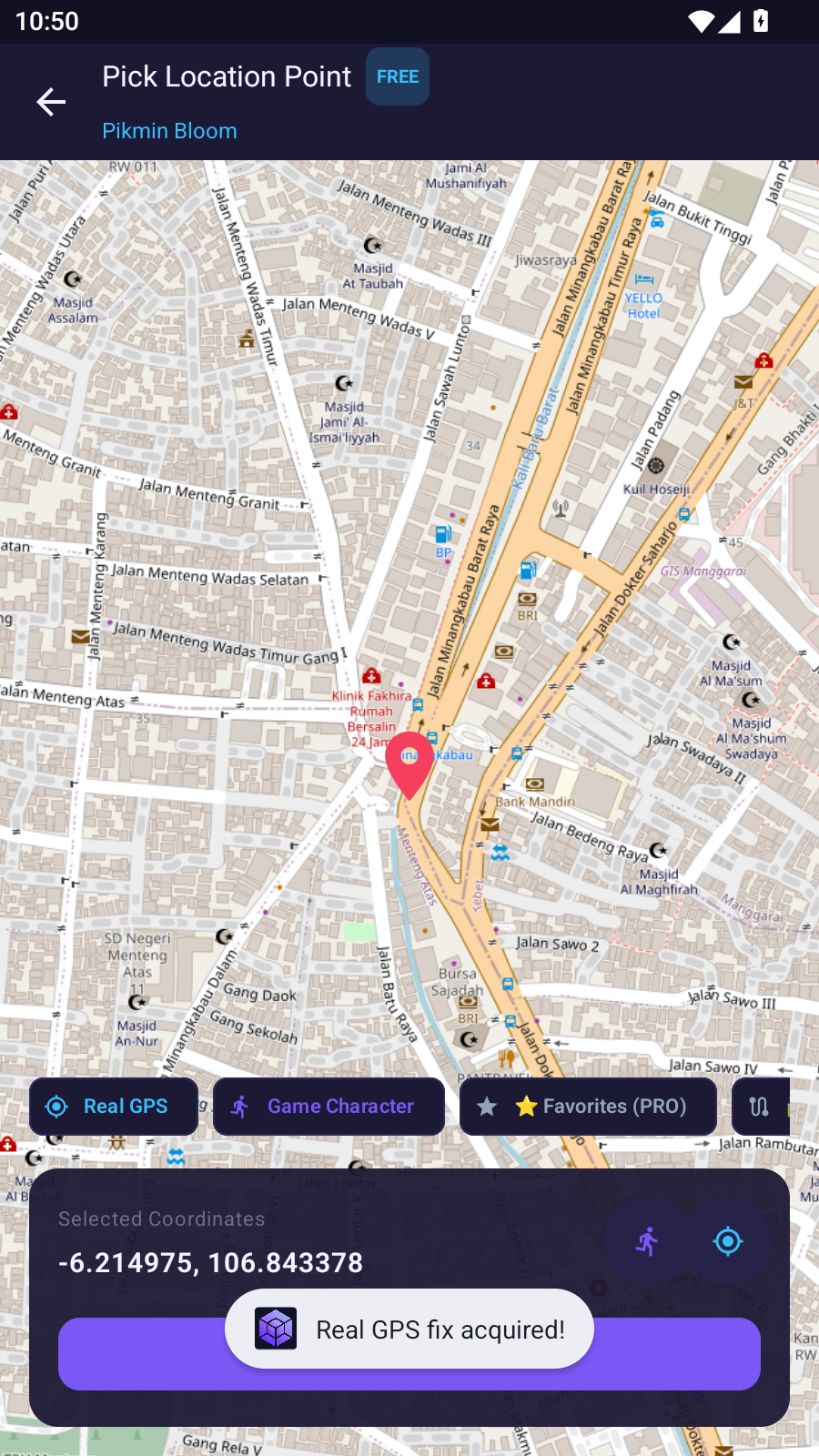
Pick Location on Map

Move the map pin to your desired coordinates and tap Real GPS fix acquired! to save. Virtual location applies automatically!

βš™οΈ Technical Specifications β–Ό
File Size
13.71 MB
Build Code
2
Architecture
arm64-v8a / v7a
Downloads
0
πŸ›‘οΈ Security & Virus Scan Proof (0/72) β–Ό
βœ“ Google Play Protect βœ“ Kaspersky βœ“ Bitdefender βœ“ ESET-NOD32 βœ“ Defender βœ“ Avast
SHA-256 Checksum
4e3e95657b2bdbfafbba17ae2004306549ea947c4e3736f13d085c0ea0dc6f7